Import and export molecular files
Use SMILES, MOL, SDF, XYZ, PDB, CML, and Chemical JSON with Stereochem, or export molecular drawings as PNG and SVG.
Bring an existing chemical structure into Stereochem as a file or pasted text. Save your edited molecule in a supported chemical format, or export a PNG or SVG drawing.
Import a structure
In the Molecule workspace, choose Import… from the document menu (or Import or paste on an empty canvas) to select a file or paste text. Stereochem can detect the common text formats below. If it cannot identify a pasted structure, choose its format in the import dialog. You can also drop a supported file onto the editor, or paste structure text straight onto the canvas.
| Input | Typical extension | How to use it |
|---|---|---|
| SMILES | .smi | Paste a single line or use the SMILES field to build a 3D structure. |
| MDL Molfile | .mol | Import or paste a molecular connection table and coordinates. |
| MDL SD file | .sdf | Import or paste a structure record. |
| XYZ coordinates | .xyz | Import atom symbols and Cartesian coordinates. |
| Protein Data Bank | .pdb | Import a PDB structure. |
| Chemical Markup Language | .cml | Import a CML molecular document. |
| Chemical JSON | .cjson | Import a CJSON molecular document. |
Additional formats may appear in the picker because the available readers come from the compiled Avogadro chemistry core. Choose the format explicitly when auto-detection is uncertain.
SMILES builds a structure
SMILES is line notation for connectivity, rather than a file containing complete 3D coordinates. Stereochem parses it with RDKit, adds hydrogens, constructs an initial arrangement, and relaxes it with the chemistry core. The result may need inspection, particularly when stereochemistry matters. Read Build a 3D molecule from SMILES.
Save a chemical file
Choose Export… in the molecule document menu to see the file formats available for saving the current structure. The dialog previews the written text before download or copy. The quick Save as action uses the most recently selected format; the initial format is CJSON. In the 2D view, MOL and SDF export preserve a flat depiction. A CJSON file saved from the 3D view records Stereochem's force-field implementation information.
A structure file is useful when you intend to edit or process the molecule elsewhere. Check the output after conversion: formats do not all preserve the same coordinates, labels, or metadata.
Export PNG or SVG
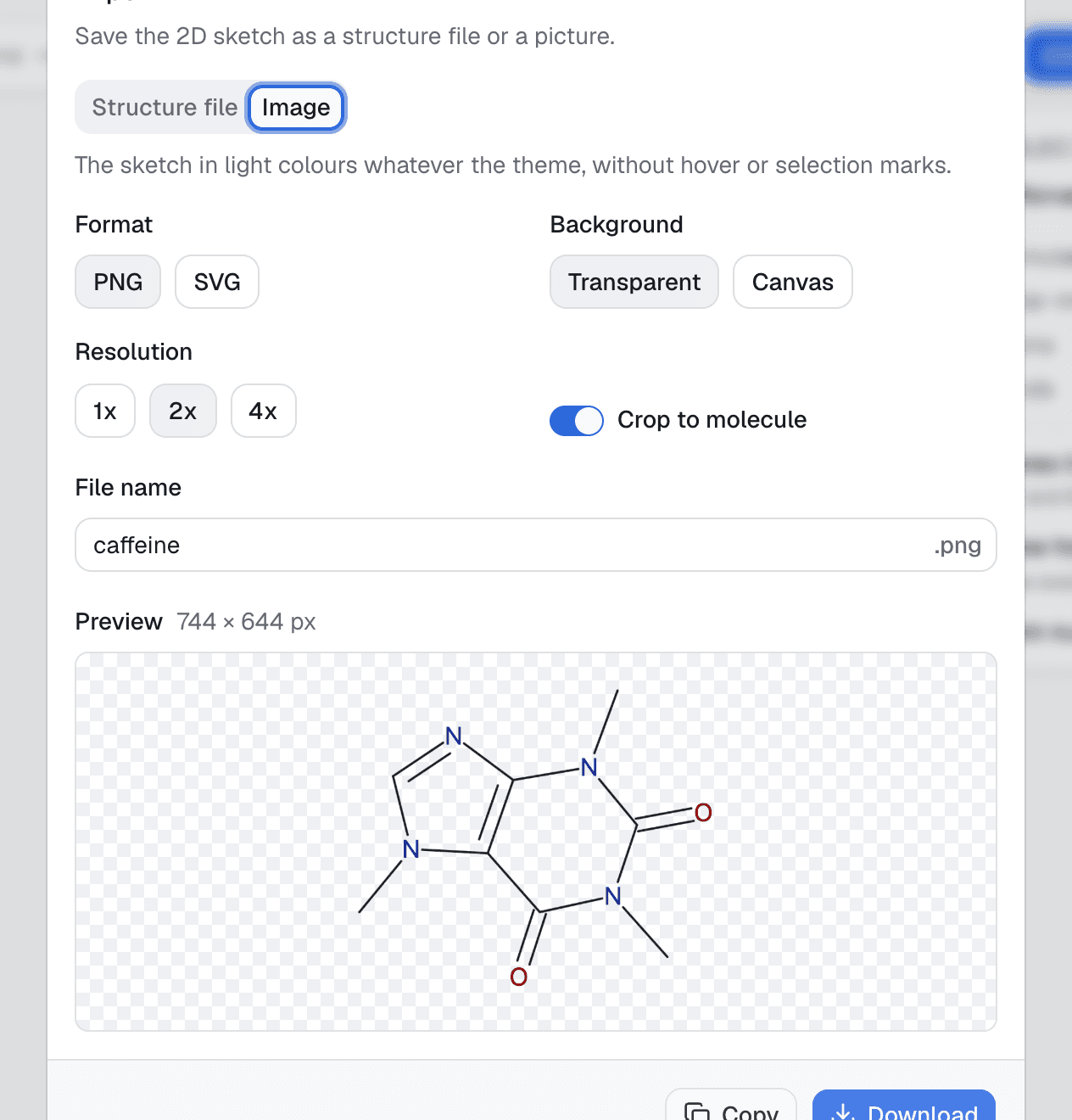
Choose Export image… when you need a picture instead of a chemical file. PNG is a raster image; SVG is a scalable vector drawing. You can choose the background and crop the output to the molecule. PNG also has a resolution choice of 1x, 2x, or 4x. This works for the molecule view and for reaction schemes, which are always exported whole and have a margin choice instead of cropping.
Fetch by compound name
If you have a compound name instead of a file, choose Fetch from PubChem…. Stereochem sends the name to NCBI PubChem and asks for a structure. It uses a 3D record if one is available and otherwise falls back to a 2D depiction. This requires network access; manual drawing and local file import do not use the PubChem lookup.